
A Calendar That Fills Itself with Events Curated for You
Send a photo of a flyer, forward a newsletter, or drop a venue name — your AI agent researches the event, fills in every detail, and adds it to your Google Calendar automatically. Never manually type an event again.
 adaptive
I can set that up. Let me connect your Gmail so you can forward newsletters and send me photos, and I'll link your Google Calendar to add events automatically.
Gmail Connected
Ready for photos, forwards & event names
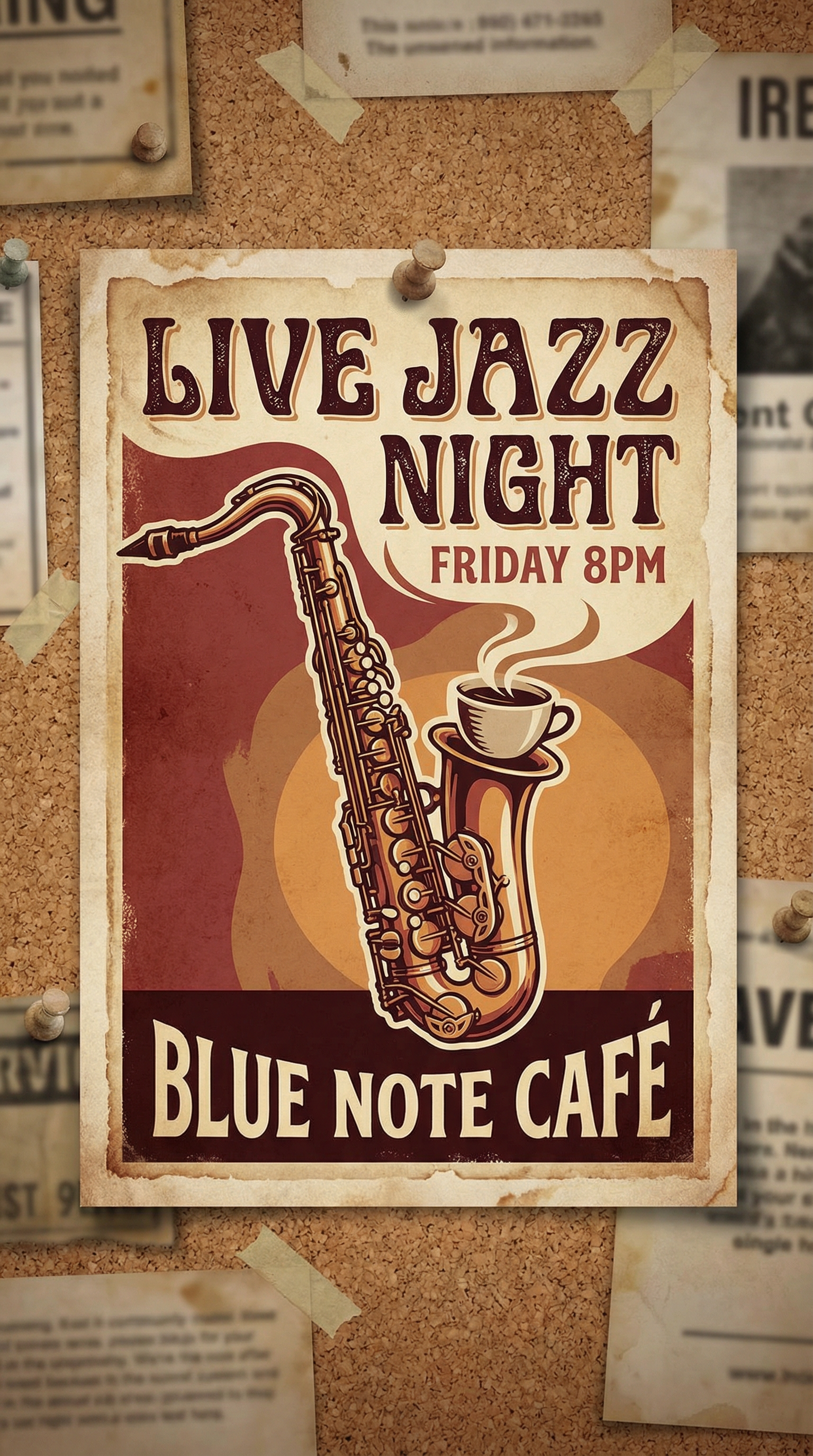
Got it — I read the flyer. It's a live jazz night at Blue Note Cafe, this Friday from 8 PM to 11 PM. Tickets are $15 at the door. I've added it to your Google Calendar with the address, time, and a link to the venue's page.
Google Calendar — Event added
Live Jazz Night · Fri 8 PM · Blue Note Cafe
Absolutely. Set up an auto-forward rule in Gmail for that newsletter and I'll process every issue automatically. I'll scan each one for events, pick out the ones that match your interests, research the details, and add them to your calendar — so it fills itself every week without you lifting a finger.
How to set up a self-filling event calendar with Adaptive
Connect Gmail and Google Calendar
Link your Gmail account (for sending photos and forwarding newsletters) and your Google Calendar (where events will be added). One-click setup for both — no API keys or developer tools.
Send events however you find them
Snap a photo of a flyer and email it. Forward an event newsletter. Or just type "comedy show at The Laughing Pint next Saturday" in an email. Adaptive accepts events in any format.
Adaptive researches and fills in the details
Your agent reads images, parses newsletters, and researches venues to get the full picture — event name, date, time, address, ticket info, and links. No manual data entry on your end.
Events appear on your calendar automatically
Every event is added to Google Calendar with complete details. Set your preferences and Adaptive will even curate newsletter events — only adding the ones that match your interests.
Everything you need for a calendar that fills itself
AI flyer and poster reading
Send a photo of any event flyer, poster, or handbill. Adaptive uses AI vision to extract the event name, date, time, venue, and ticket info — even from hand-drawn or stylized designs.
Newsletter event extraction
Auto-forward venue newsletters and Adaptive scans each issue for events. It identifies dates, times, locations, and descriptions — then adds the relevant ones to your calendar.
Venue and event research
Just send a venue or event name and Adaptive researches it — finding the date, time, address, ticket link, and description so you don't have to look anything up yourself.
Personalized event curation
Tell Adaptive what you like — live music, comedy, art openings, food festivals — and it filters newsletter events to only add the ones that match your interests.
Complete Google Calendar entries
Every event is added with full details: title, date, time, venue address, description, and links. No placeholder entries or events missing half the information.
No code required
Set up the entire system by describing what you want in plain English. No calendar plugins, no browser extensions, no third-party apps to install.
Frequently asked questions
Common questions about smart event calendar.
With Adaptive, you connect your Gmail and Google Calendar, then send events in whatever format you have them — a photo of a flyer, a forwarded newsletter, or just the event name in an email. Adaptive reads images with AI vision, parses newsletter content, and researches event details automatically. Every event is added to your Google Calendar with the full information — title, date, time, venue address, and links. No manual typing required.
Yes. Adaptive uses AI vision to read photos of flyers, posters, handbills, and event signage. It extracts the event name, date, time, location, and ticket information from the image — even if the design is stylized or hand-drawn. The event is then added to your Google Calendar with all the details filled in. You just take the photo and email it.
Set up an auto-forward rule in Gmail for your event newsletters, and Adaptive processes each issue as it arrives. It scans the email content, identifies every event mentioned — with dates, times, venues, and descriptions — and adds them to your Google Calendar. You can also set preferences so Adaptive only adds events that match your interests, like live music or art openings.
The most efficient approach is an AI agent that accepts events in any format and adds them to your calendar automatically. Adaptive does exactly this — you send a photo of a poster, forward a newsletter, or type an event name, and your agent researches the details and creates a complete Google Calendar entry. Your calendar fills itself over time with events curated to your interests.
Yes. You tell Adaptive your preferences in plain English — for example, "I like live music, comedy shows, and food festivals, but skip networking events and anything before noon." When Adaptive processes a newsletter with multiple events, it only adds the ones that match your criteria. You can update your preferences anytime and Adaptive adjusts immediately.
Most people set up the full system in under 10 minutes. You connect Gmail and Google Calendar with one click each, describe your event preferences, and set up auto-forwarding for any newsletters you subscribe to. From that point on, your calendar fills itself — every flyer photo, forwarded email, and event name you send gets researched and added automatically.
Ready to try it?
Describe what you need in plain English. Adaptive builds it for you in minutes — no code, no consultants, no waiting.
Get started


